

Did you know the best practice for maintaining contract relationships and a contract hierarchy? If your company has multiple Parent and Child Agreements, you can create a field in your CRM to track how those agreements connect. Then, when you are on a child agreement, you can easily see through the lookup what the Parent Agreement may be. You should also tag each agreement so you can easily separate all of the documents and their Agreement type.
An example would be a Parent Agreement (ex: Master Services Agreement) and a Child Agreement (Statement of Work). You would make a lookup in CRM from the MSA to the SOW to see that Parent / Child relationship, and would tag the Parent Agreement in DealHub as a Master Services Agreement and the Child Agreement in DealHub as a Statement of Work.
Beyond a lookup for a Parent / Child Agreement, when using DealHub CLM, you can also group related agreements per Opportunity to have a quick view of all applicable agreements.
Grouping Documents by Fields
Users can structure document organization by grouping them under:
- Opportunity – Displays documents linked to specific deals.
- Account – Groups all account-related documents, listing non-opportunity contracts first, followed by opportunity-linked documents.
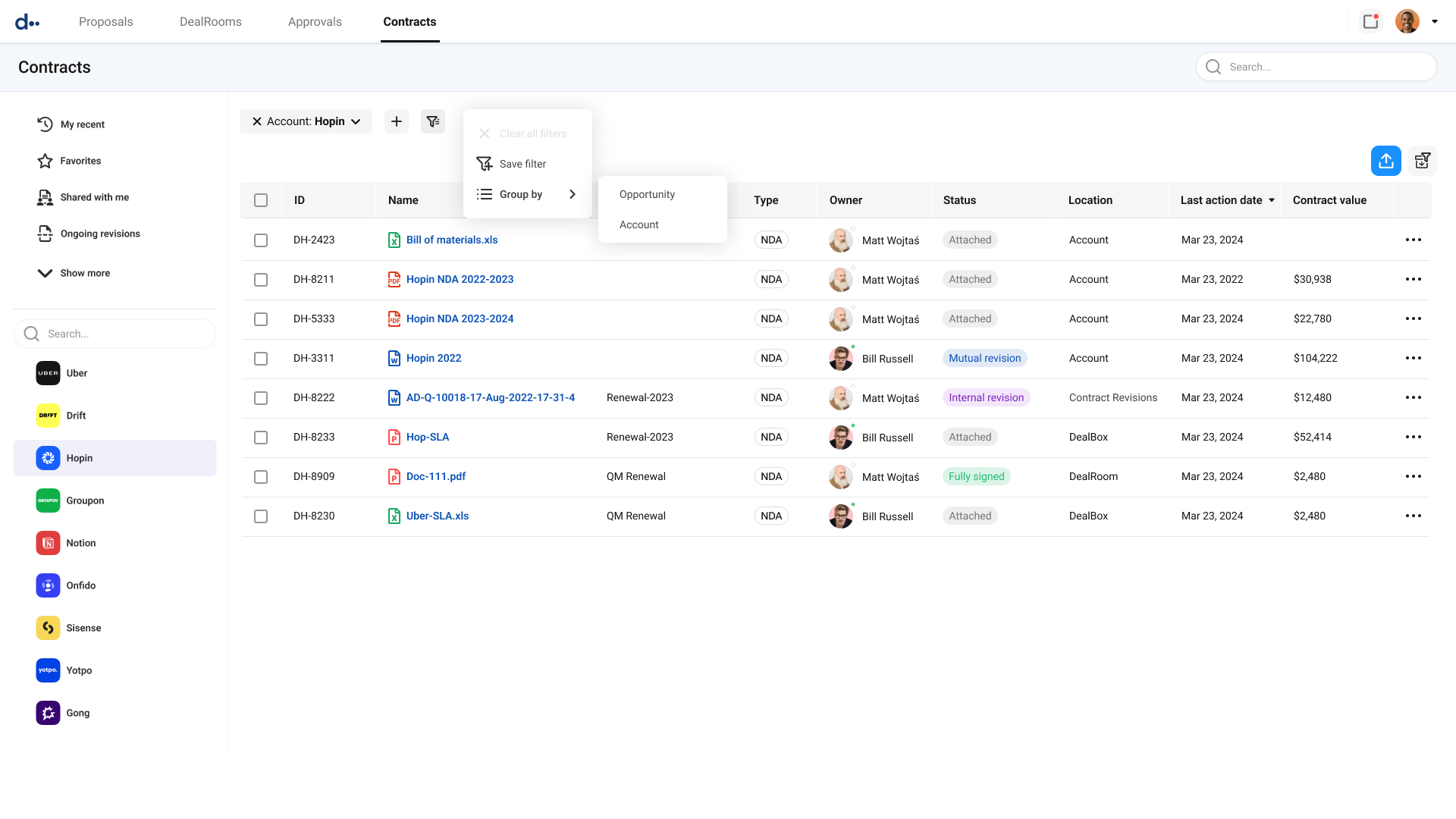
Once the lookup is added to the agreements, the agreements are tagged appropriately, and the documents are grouped by Opportunity type, the user can easily see the applicable documents and how they are connected for a complete view of your contract hierarchy for this deal.