

You’re likely already utilizing Dealhub to do some basic forecasting by calculating ARR, ACV, and/or TCV, but did you know Dealhub can slice and dice your revenue forecasting out of the box? You can quickly see how much recurring revenue is going to hit a particular line of business without creating a pile of custom CRM reports.
In this example we’re going to break out ARR by product line using product tags, proposal attributes, and parameters to sync an ARR calculation for each of our 3 product lines to CRM.
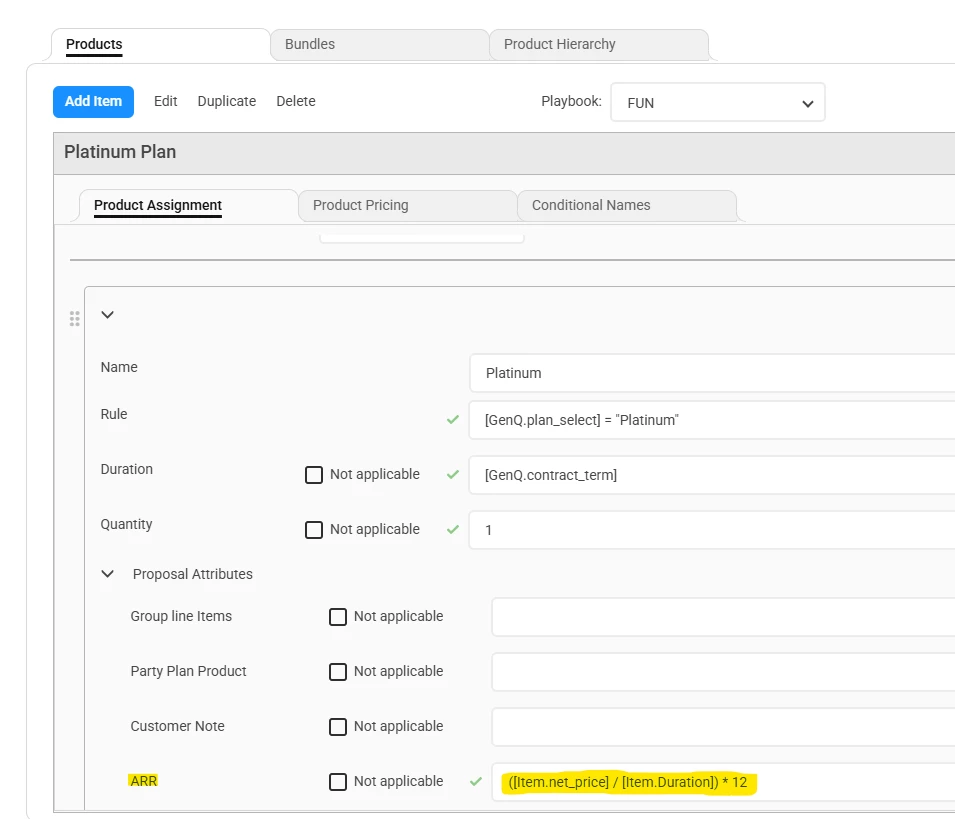
- Navigate to your product assignment rules and confirm you are calculating ARR on your recurring products. If not, create a new proposal attribute and populate across all recurring products.
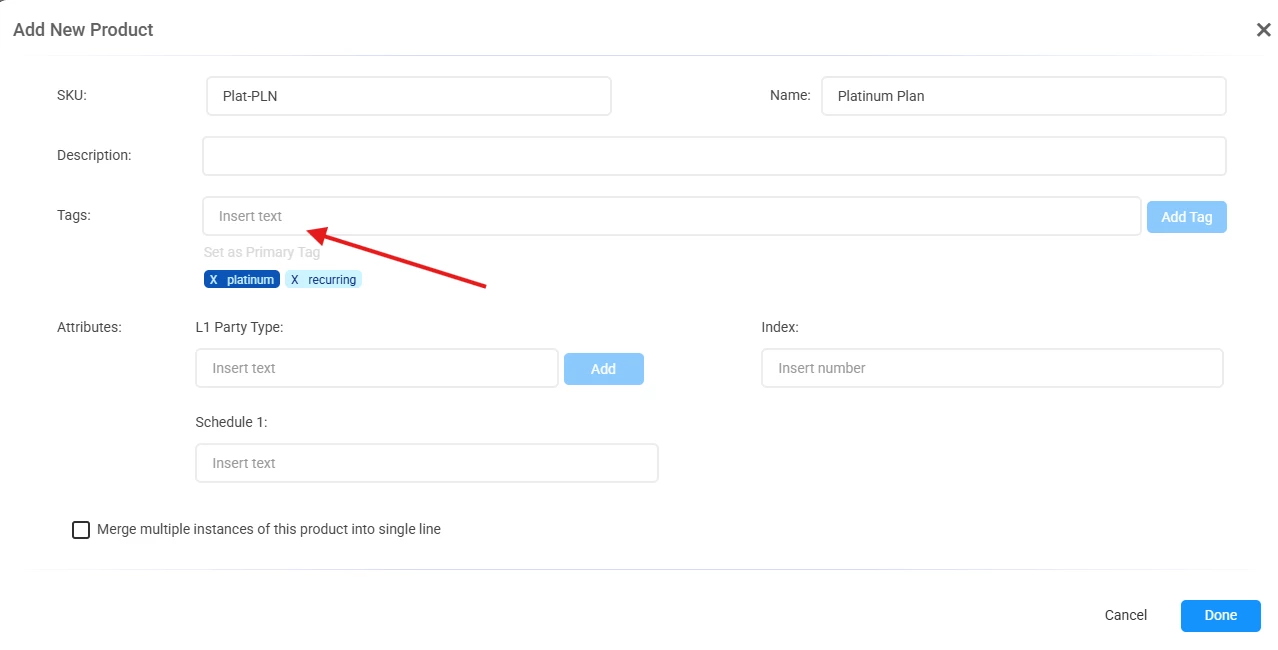
- Make sure you have tagged your products by product line. This can be done when creating or editing a product. Here I’ve tagged the Platinum Plan with ‘platinum.’
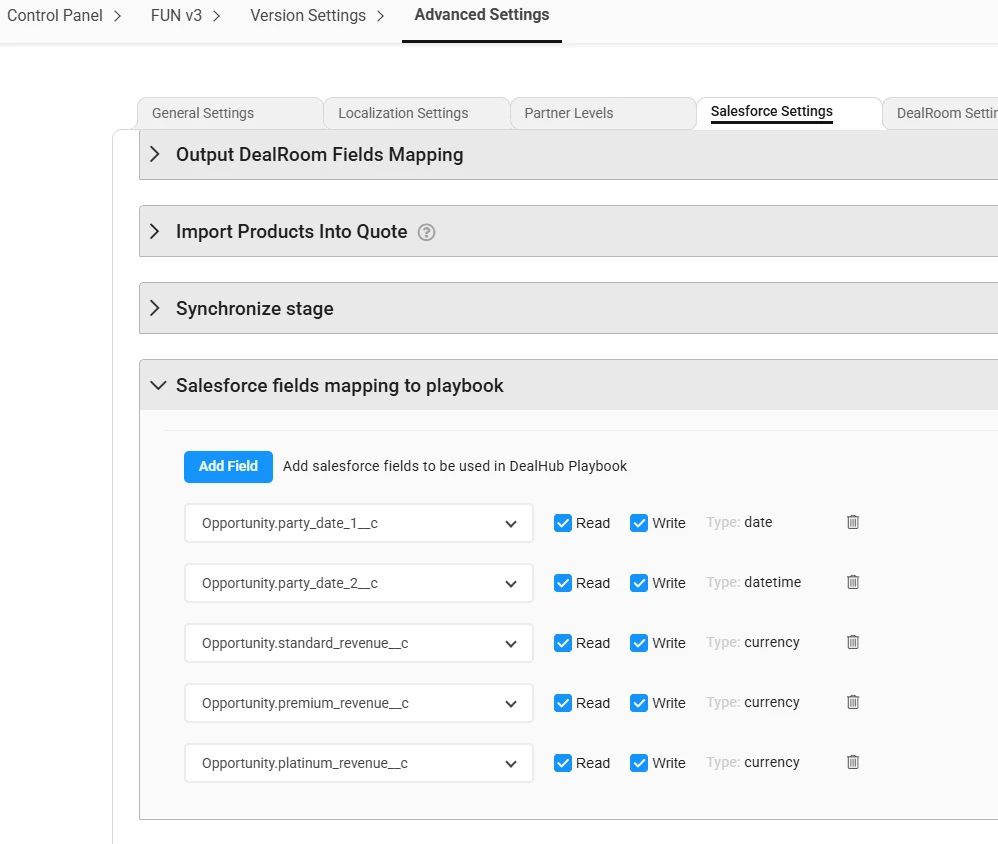
- Create custom currency fields on your CRM Opportunity object to house your new ARR fields. Once complete, navigate to Version Settings > Advanced Settings and choose your CRM setting tab. Then add the custom fields to your field mapping with the write access box checked.
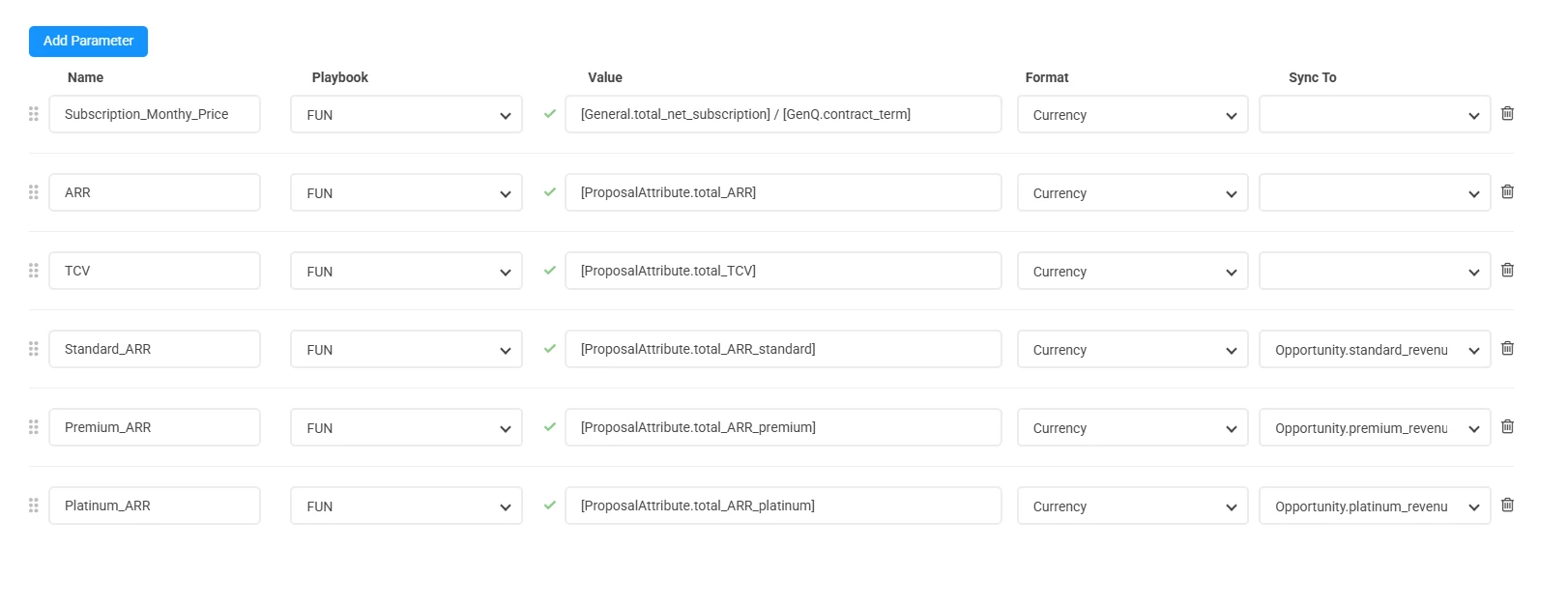
- Finally, navigate to Parameters. Depending on your version of Dealhub this may be under Version Settings, or inside the output documents menu. You’ll notice in my example that I’ve created parameters for ARR, TCV, and an ARR calculation for each of my 3 product lines. Dealhub calculates these out of the box using the dynamic system parameter [ProposalAttribute.XXXXXX]. I can total all ARR proposal attributes with [ProposalAttribute.total_ARR], or break out by tag by adding the tag to the end of the parameter. You don’t need to formulate or remember these yourself, just start typing proposalattribute in the value field and it will auto-populate all the possibilities! Close the loop by selecting your CRM fields from the Sync To column.
For more info on parameters and proposal attributes, please visit the Knowledge Base or reach out to your Dealhub CSM!