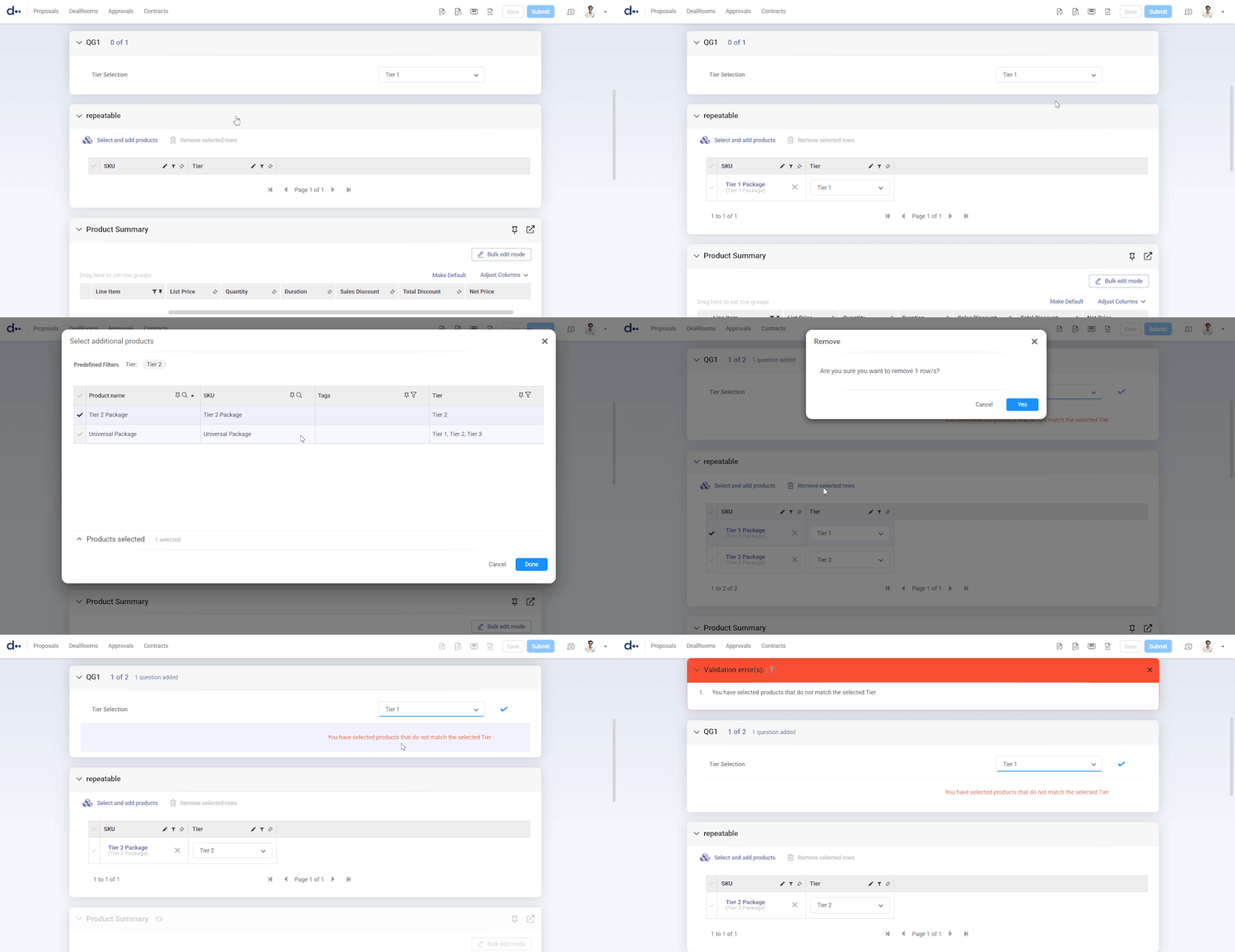
🛠 How to ensure re-selecting restricted items after filtering will not be selected
📋 Use Case
You have a repeatable product selection question group with filters, and need to prevent users from selecting the restricted items by changing the filters after selection
✅ Pre-Requisites
Before you begin, confirm the following:
- Knowledge of repeatable question groups using filters.
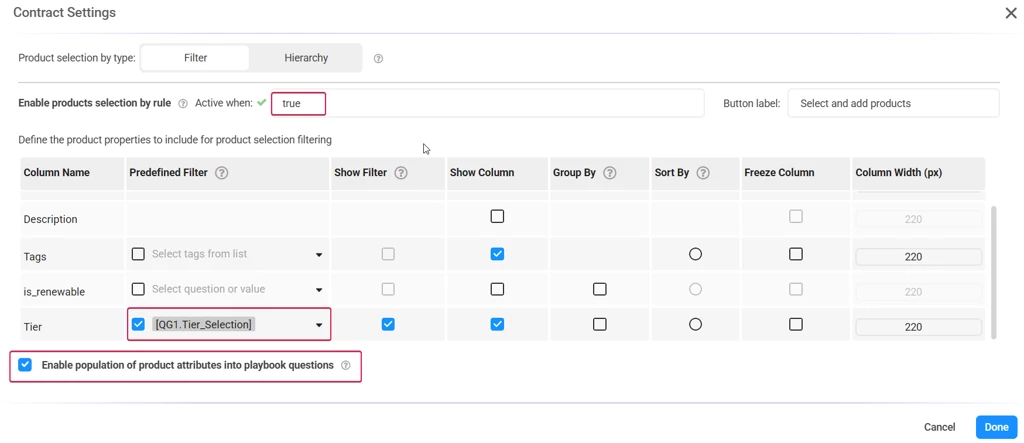
- Configured Product Selection question group, with ‘Select and Add’ button, filters enabled
- Enable population of product attributes into playbook questions
- Product attribute (Text/Text List) containing the filtering value
🧭 Step-by-Step Instructions (Salesforce)
1️⃣ Create a copy of the unique value in the Repeatable Group
-
Outside of the repeatable question group, add a Text List question, to be used as the filter
-
Values should be the different values that you filter according to, e.g ‘Tier 1’, ‘Tier 2’, ‘Tier 2’
QG1.Tier_Selection

2️⃣ Create a placeholder for the filtering attribute in the Repeatable Group
-
In your repeatable question group, add a Text List question.
-
Values can be anything, knowing that the product attribute will overwrite it, you can use '-'
* Enable Multi-Selection
* Make sure the Id of the question, matches the name of the Product Attribute, e.g ‘Tier’ -
Create a Calculated Answer, ‘counter’ with the value of 1 [can be hidden]
repeatable.Tier repeatable.counter
3️⃣ Back to QG1 - create more questions
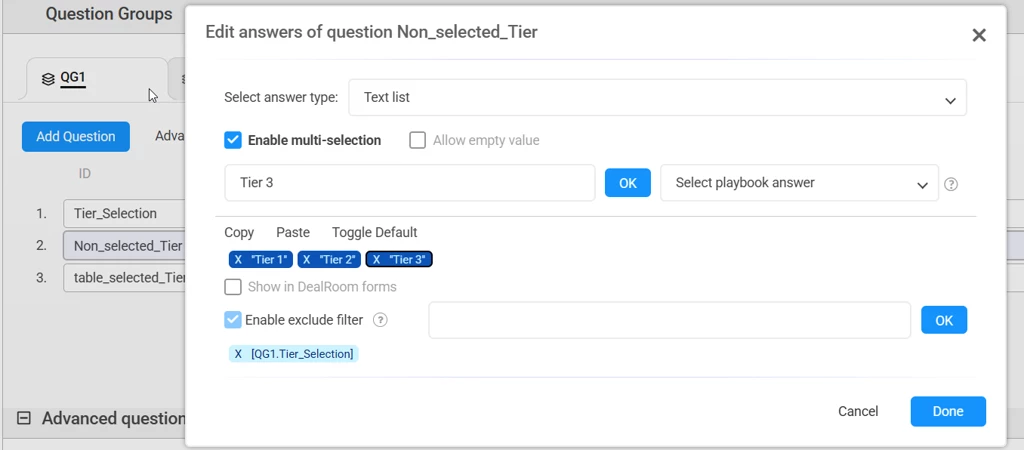
- Create Text List question Non_selected_Tier [can be hidden]Values should be all available values for that product attribute e.g ‘Tier 1’, ‘Tier 2’, ‘Tier 3’
* Enable multiple selection
* set all values as default - Use Exclude filter, and choose the QG1.Tier_Selection question
- Create Text question table_selected_Tier [can be hidden]
Value should be a reference to the attribute placeholder in the product selection question group %repeatable.Tier% - Create a calculated answer ‘number_or_rows_in_selection_table’, value should be the ‘repeatable.counter’[can be hidden]
- Create a text question (Rich Text optional)
- this question will be presented when there is a product in the table, with a Tier which does not match the selection on the top [set it as read-only]
e.g “You have selected products that do not match the selected Tier”
* Define the warning question to be Rule-Base
the rule: IncludesANY([QG1.Non_selected_Tier],[repeatable.Tier]) OR !IncludesANY([repeatable.Tier],[QG1.Tier_Selection]) AND [QG1.number_or_rows_in_selection_table] > 0 - Add a validation rule:
Rule: [QG1.warning_error] != ""
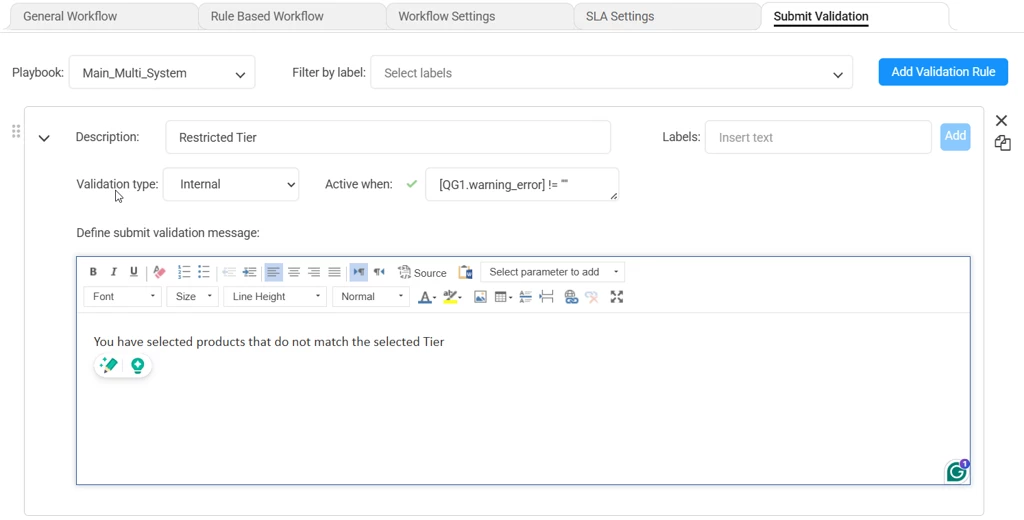
QG1.Non_selected_Tier QG1.table_selected_Tier QG1.warning_error QG1.number_or_rows_in_selection_table
🏁 Result
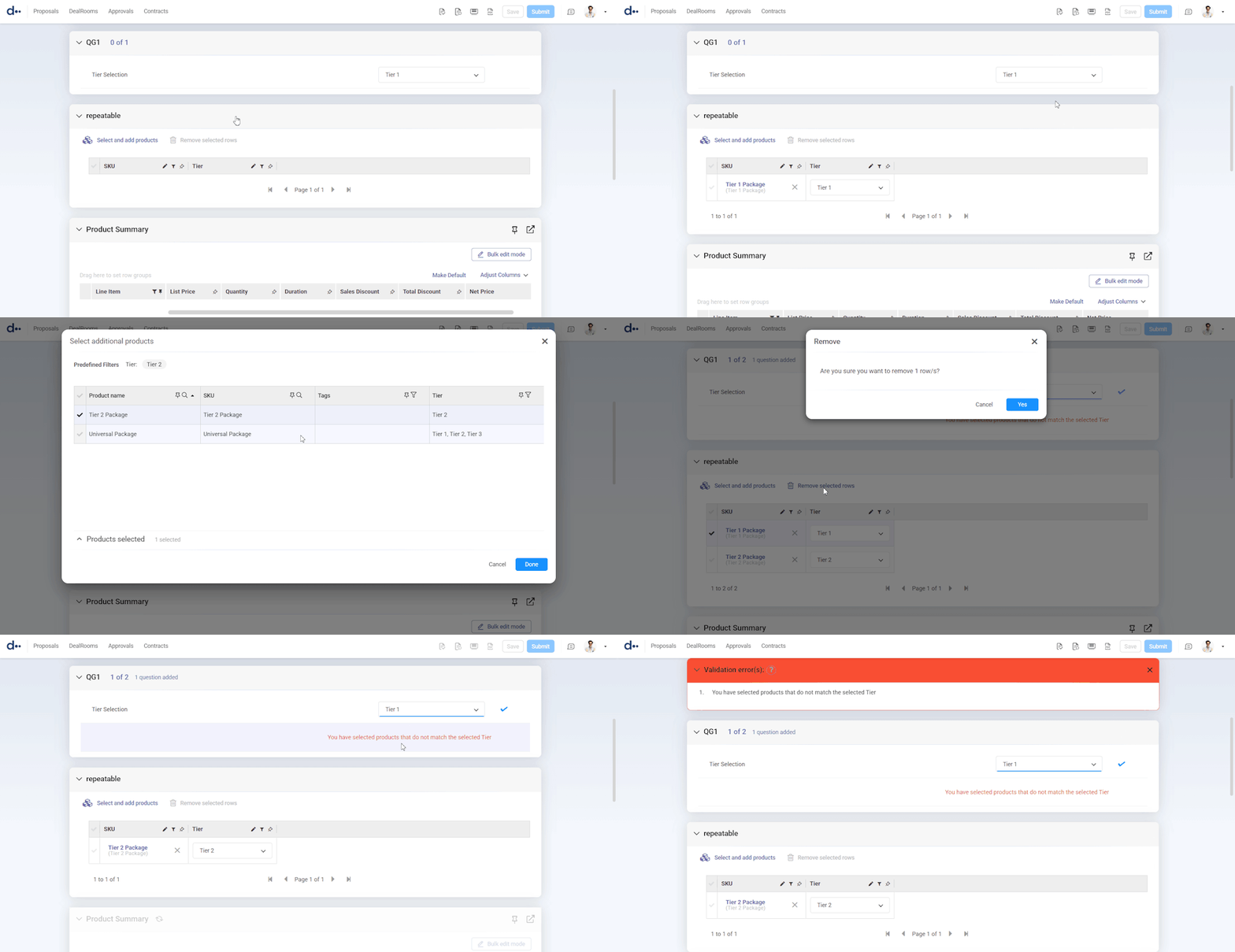
When users select records, if there are items that do not match with the selected filter a warning will pop-up, also a validation rule will be triggered