

Sometimes you may be using a repeatable table with a manual item select to choose your products as it offers a scaled experience. Typically, one of the questions in that table will be ‘Quantity’ but you may have products that will be assigned in that table that should only have a quantity of 1. The approach outlined below will work for Quantity or any other field in your repeatable table that you may want to hide or make read only line by line.
You could set conditional answers on the Quantity question but you’d have to have a rule that encompasses each sku that fits this model. The scalable way to achieve this is with Product Attributes. Product Attributes allow us to bring values from the Product into the Playbook, and specifically, into our repeatable table.
In this example, I’ve created a Product Attribute called ‘Quantity Relevant’:
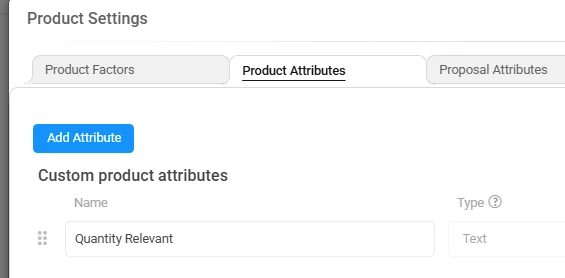
Then, on the Products I’ve listed some as ‘true’ and some as ‘false’, but these values are arbitrary, you could achieve the same thing with numbers and then 1’s and 0’s on the product:
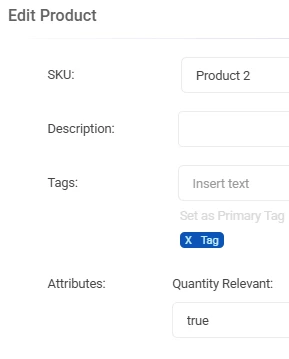
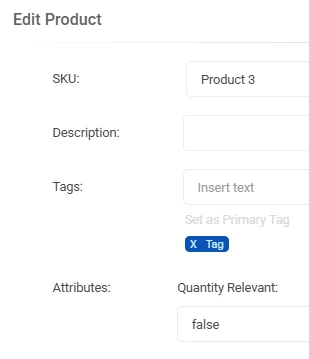
From there, you can set one rule in your playbook to achieve the goal:
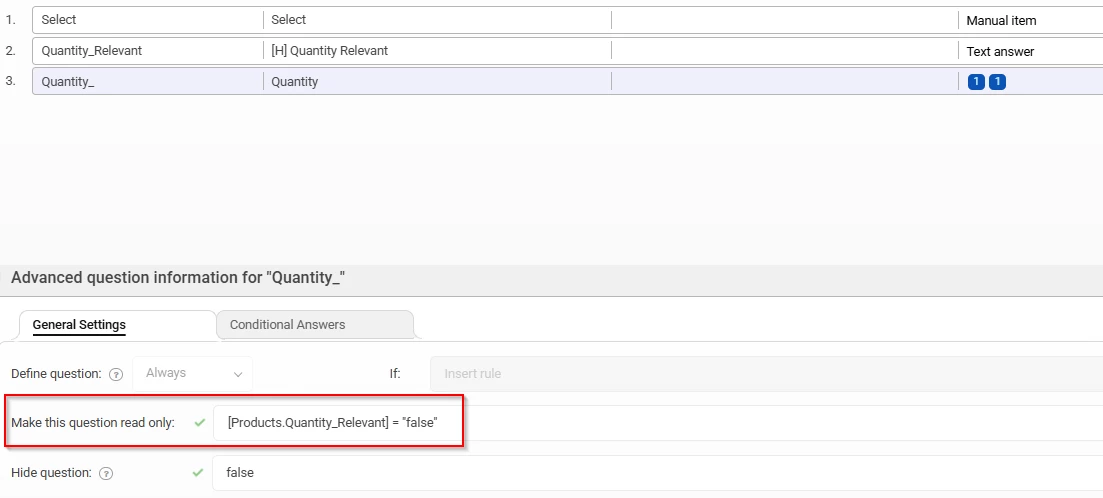
This leads us to a neat and scalable configuration that looks like this:
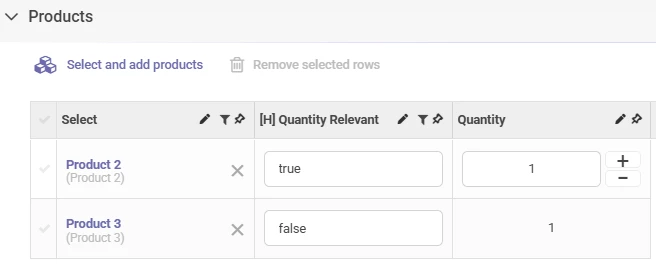
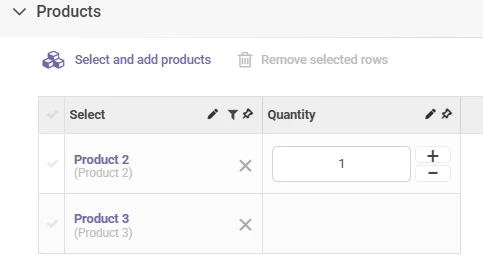
Ultimately, you would hide the ‘Quantity Relevant’ question entirely. In my example above, I’ve set the Quantity read only rule to be based on Quantity Relevant, but you could also set the hide rule to be based on this value instead. If you were to do that, the Quantity field would blank out for the ‘false’ products:
Hope this helps you on your journey!