Question

Merging 2 products in Product Summary

  • December 17, 2025
  • 1 reply
  • 37 views

Forum|alt.badge.img

How do I merge 2 subscription products that have the same SKU into one? 

Ideally the Quantity should be 1 and the Price should total of both SKUs’ prices .

 

Thanks

1 reply

Forum|alt.badge.img+1
  • Employee
  • December 18, 2025

If you’re seeing the same SKU appearing twice in your product summary table, it's usually because the system is assigning multiple instances—often during a subscription call or even a new business deal.

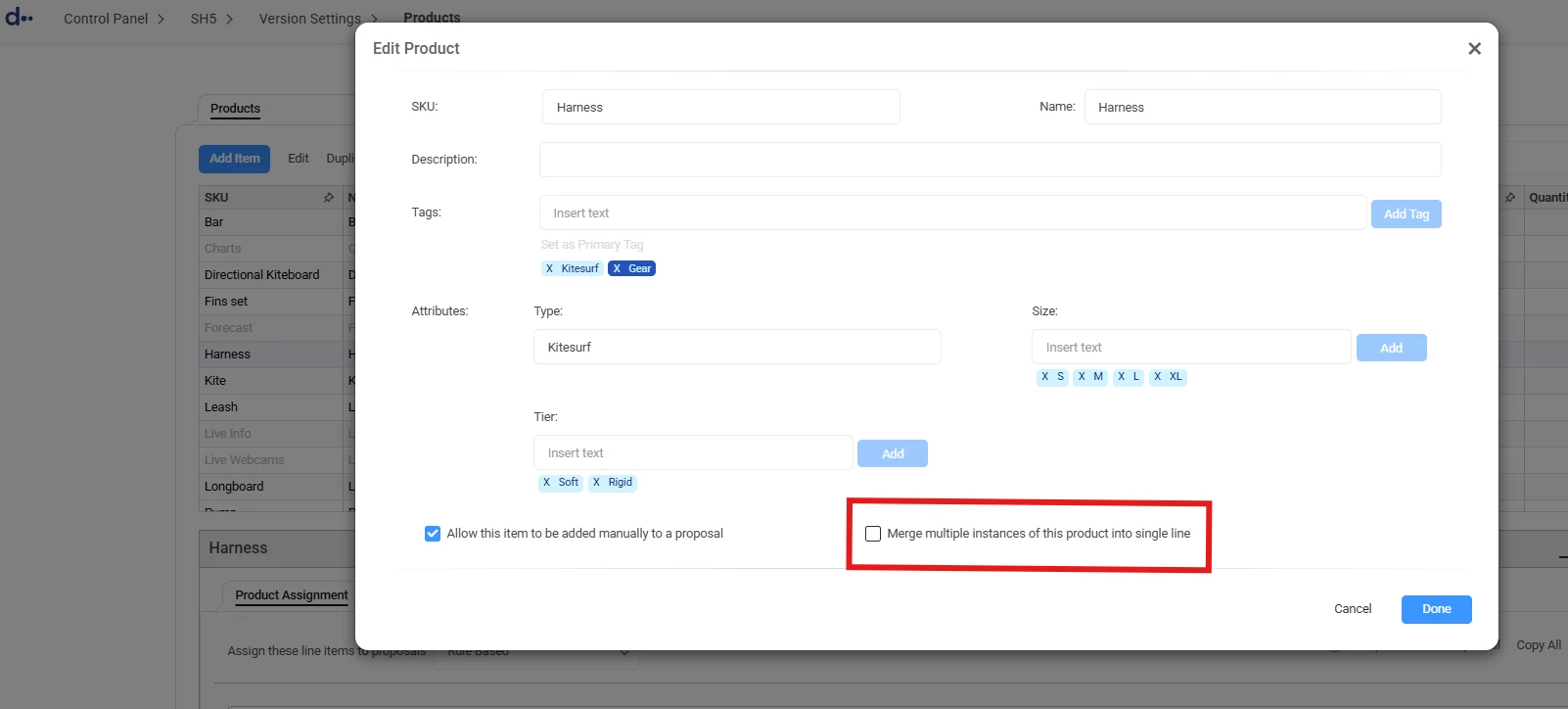
To clean this up and merge those lines into one (so you see a single line with the combined total), you’ll need to adjust the product configuration.

How to fix it:

  1. Go to your Product List and double-click the product.

  2. Check the box for “Merge multiple instances of this product into single line.”


A quick heads-up: Keep in mind that this setting applies to the product globally. Once checked, it will merge multiple instances of that product in all scenarios, not just for subscriptions.

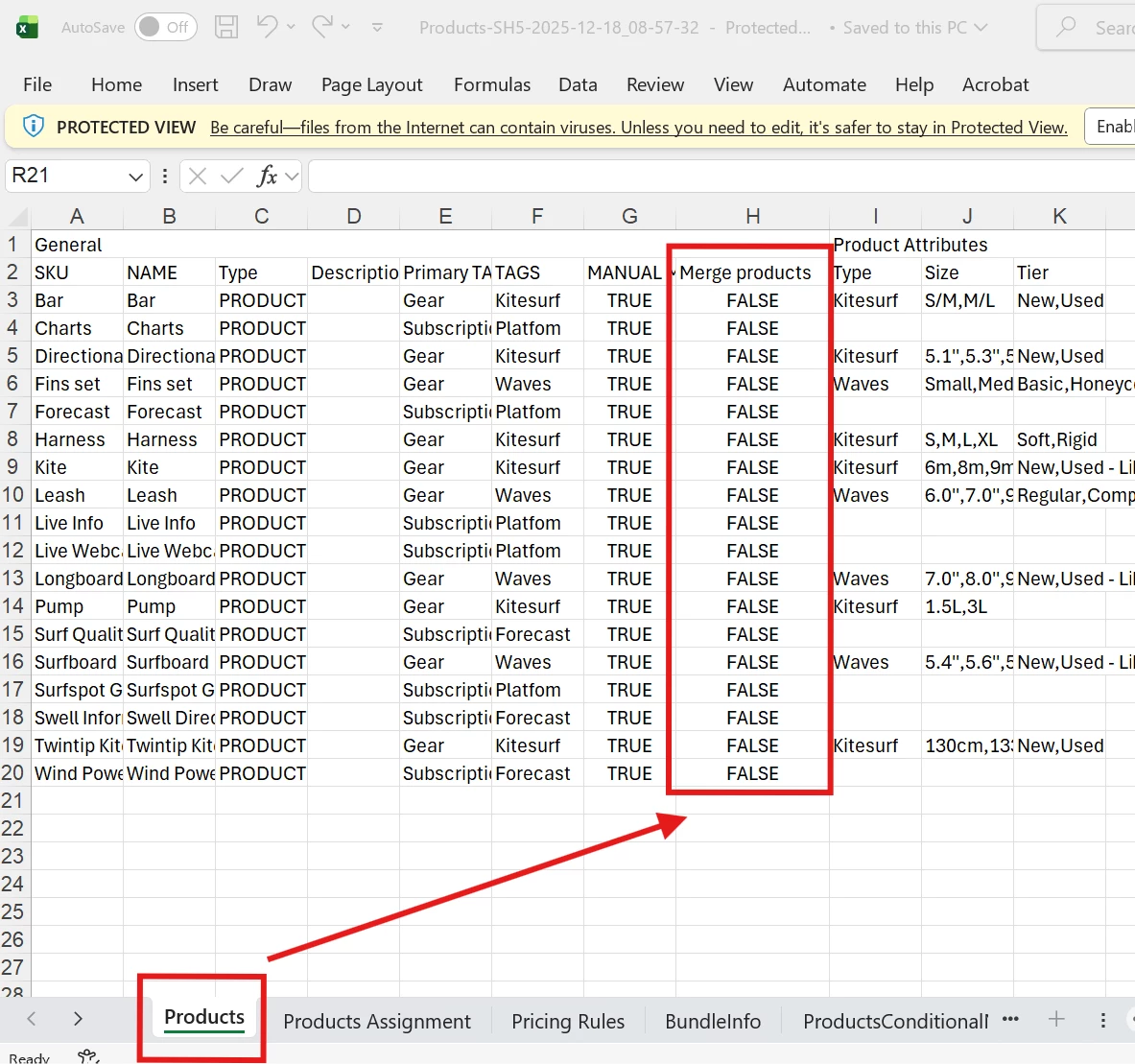
Doing this in bulk:

If you need to apply this to all your products at once, you don't have to do it manually. You can use the Excel export/import feature. Just find the corresponding column in your spreadsheet and update the values to ‘TRUE’ before re-importing.